Netflix has over 300 million users worldwide, but its content is not the same everywhere. Libraries differ by country due to strict licensing agreements. Netflix’s help center[1] explains that content availability is determined by your location at time of viewing. What you see in the United States can be very different from Japan or Germany.
A VPN solves this by changing your IP address to another location. That accesses different Netflix libraries. The challenge is that Netflix actively blocks VPNs. Most fail. Only a few still work consistently.
This page focuses exclusively on Netflix: how its detection system works, which VPNs work around it, and how the leading providers compare. If you stream on multiple platforms like Hulu, Disney+, or BBC iPlayer, our guide to the best VPN for streaming covers broader multi-platform performance.
Our rankings are consistent with independent testing from Security.org[2], Experte[3], and CNET[4].
Best VPNs for Netflix: Comparison at a Glance
Feature
NordVPN
ExpressVPN
Surfshark
ProtonVPN
Starting Price
$3.49/mo
$2.99/mo
$2.49/mo
$3.49/mo
Servers
7,130
3,000+
4,500+
20,000+
Netflix Libraries
16+
15+
30+
20+
Connections
10
10
Unlimited
10
Streaming Feature
SmartPlay
MediaStreamer
NoBorders Mode
Plus Servers
Detection Avoidance Method
Obfuscated servers + IP rotation
Full-fleet obfuscation + Lightway
NoBorders + Dynamic IP pool
Secure Core + Plus server routing
Money-Back Guarantee
30 days
30 days
30 days
30 days
How Netflix Detects and Blocks VPN Connections
Before choosing a VPN, you need to understand what you are up against. Netflix uses multiple layered detection methods to identify and block VPN traffic. Knowing these methods explains why most VPNs fail and why the four below succeed.
IP Reputation Databases
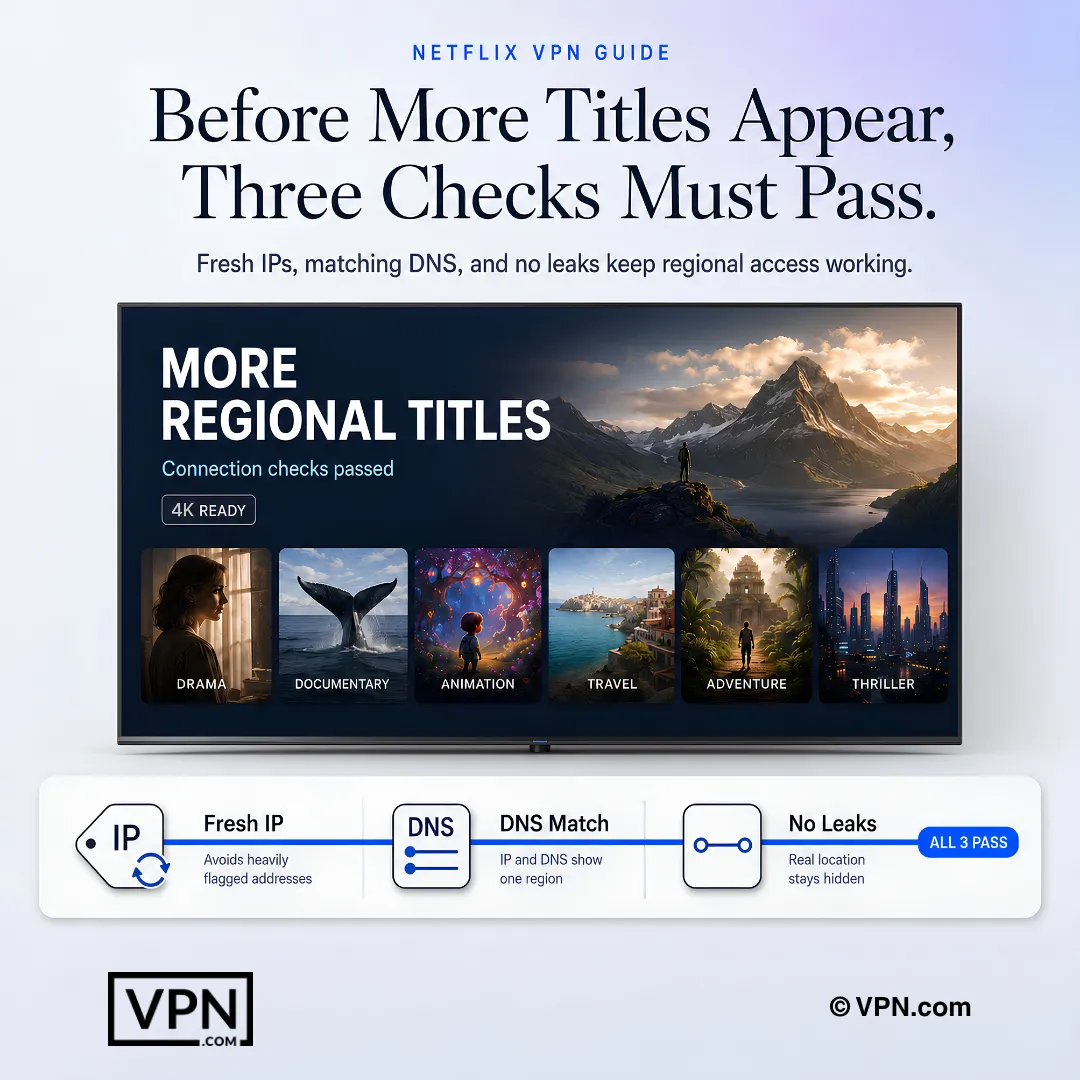
Netflix subscribes to commercial IP intelligence services like IPQualityScore[5] and MaxMind. These databases flag IP addresses associated with data centers, hosting providers, and known VPN services. When hundreds of Netflix users share a single IP from a data center in Virginia, that IP gets flagged fast.
Successful VPNs counter this by rotating IP addresses frequently. NordVPN cycles through thousands of IPs across its 7,130 server fleet. Surfshark maintains dynamic IP pools that assign fresh addresses on each connection. This constant rotation stays ahead of the blacklists.
DNS Leak Detection
A DNS leak occurs when your device sends DNS queries through your ISP instead of the VPN tunnel. Netflix compares your DNS location to your IP location. If your IP says London but your DNS resolver is in Chicago, Netflix flags the mismatch and blocks the stream.
NordVPN runs private DNS on every server to prevent this. ExpressVPN forces all DNS traffic through its encrypted tunnel. ProtonVPN operates its own DNS infrastructure across all servers. These measures ensure your DNS and IP locations always match.
WebRTC and IPv6 Exposure
WebRTC is a browser protocol that can leak your real IP address even when a VPN is active. Similarly, IPv6 traffic can bypass an IPv4-only VPN tunnel. Netflix can detect these leaks and use them to determine your actual location.
All four recommended VPNs disable WebRTC leaks in their apps. They also block or tunnel IPv6 traffic.
Deep Packet Inspection (DPI)
Some ISPs and networks use deep packet inspection to identify VPN protocol signatures. While Netflix itself does not run DPI, it benefits indirectly when ISPs throttle or block VPN traffic before it reaches Netflix servers.
NordVPN and ExpressVPN both offer obfuscated server modes that disguise VPN traffic as regular HTTPS. Surfshark’s NoBorders Mode activates automatically on restrictive networks. ProtonVPN’s Stealth protocol wraps VPN packets in TLS to evade DPI.
NordVPN: Strongest Detection Avoidance for Netflix
NordVPN is the most reliable VPN for Netflix based on its coverage of 16+ regional libraries. Its combination of SmartPlay technology, obfuscated servers, and IP rotation keeps it ahead of Netflix’s blocking.
Speed and Protocol
NordVPN uses the NordLynx protocol, built on WireGuard, which keeps encryption overhead low. Netflix requires 15 Mbps for 4K.
How SmartPlay avoids detection
SmartPlay combines Smart DNS with VPN encryption automatically. When you connect to a NordVPN server and open Netflix, SmartPlay routes the initial DNS handshake through a chain that masks the VPN signature. You do not need to configure anything. It activates on every server.
This is why NordVPN rarely triggers the Netflix proxy error. SmartPlay also rotates IP assignments within server clusters, keeping each IP off the blacklists longer than static assignments.
Content Worth accessing
The US Netflix library is the largest. Japan offers strong anime selections including region-exclusive series. The UK library carries British originals and BBC content not available elsewhere. South Korea’s library features K-dramas that may not appear in Western regions for months.
Best for: Users who want the most reliable Netflix accessing with minimal proxy errors. NordVPN starts at $3.49/mo with a 30-day money-back guarantee. See NordVPN’s current deal
ExpressVPN: Full-Fleet Obfuscation and Router Support
ExpressVPN accesses 15+ Netflix regions, including harder-to-reach libraries in countries like Turkey, South Korea, and India. Every server in its fleet runs obfuscation by default.
Speed and Protocol
ExpressVPN uses the Lightway protocol, built for fast, stable connections.
Full-Fleet Obfuscation
Unlike VPNs that offer obfuscation on select servers, ExpressVPN applies it across all 3,000+ servers in 113 countries. You do not need to find a special “streaming” or “obfuscated” server. Every connection disguises VPN traffic as standard HTTPS.
This design means you can connect to any country ExpressVPN operates in and attempt Netflix. There are no dedicated streaming servers to memorize or switch between.
Smart TV and Router Integration
ExpressVPN sells the Aircove router with the VPN built in. This routes all home traffic through the VPN, including smart TVs, game consoles, and streaming sticks that cannot install VPN apps. MediaStreamer provides a Smart DNS fallback for devices where speed matters more than encryption.
Best for: Users who want access to rare regional libraries and need device flexibility through routers or MediaStreamer. ExpressVPN starts at $2.99/mo with a 30-day money-back guarantee.
Surfshark accesses 30+ Netflix libraries. That is nearly double what NordVPN and ExpressVPN offer. At $2.49/mo with unlimited simultaneous connections, it is the clear value leader.
Speed and Protocol
Surfshark uses WireGuard, which keeps encryption overhead low.
The trade-off for 30+ libraries is a slightly smaller server network (4,500+ vs. NordVPN’s 9,000+), which can mean more users per IP.
NoBorders Mode and Dynamic IP Pools
NoBorders Mode detects when you are on a restrictive network and automatically adjusts connection settings. It selects servers and protocols least likely to be blocked.
Surfshark also rotates IPs dynamically across its pools. When Netflix blacklists an IP, Surfshark replaces it faster than providers with static assignments. This is how it maintains access to 30+ libraries despite Netflix’s aggressive blocking.
Unlimited Connections for Households
Every Surfshark subscription covers unlimited devices. A family of five can stream different Netflix libraries on five devices simultaneously. No other provider on this list offers that.
Best for: Budget-conscious users and families who want the widest library selection. Surfshark starts at $2.49/mo with a 30-day money-back guarantee. Check Surfshark’s current pricing
ProtonVPN combines Swiss privacy law, open-source apps, and 20,000+ servers in 140+ countries. Its Plus plan includes streaming-optimized servers that works with Netflix detection.
Speed and Protocol
ProtonVPN uses WireGuard, which keeps encryption overhead low.
Standard (non-Plus) servers deliver lower speeds and may not works with Netflix detection.
Free Plan Does Not access Netflix
ProtonVPN offers a free tier, but it does not include access to Plus servers. The free plan connects to servers in five countries with reduced speeds and no streaming optimization. These free servers are quickly detected and blocked by Netflix. To stream Netflix through ProtonVPN, you need a paid Plus or Unlimited plan starting at $3.49/mo.
Secure Core for Extra Obfuscation
Secure Core routes your traffic through privacy-friendly countries (Switzerland, Iceland, Sweden) before reaching the exit server. This adds a layer that makes VPN detection harder. The trade-off is slightly higher latency, which can add a short delay before playback starts but should not affect quality once buffered.
ProtonVPN’s apps are fully open-source, and Proton says they have been independently audited. For users who want to verify exactly how their traffic is handled, ProtonVPN is the only provider on this list offering full code transparency.
Best for: Privacy-focused users who refuse to trade security for streaming access. ProtonVPN Plus starts at $3.49/mo with a 30-day money-back guarantee.
Tip: Before committing to a VPN for Netflix, verify that your target region is in the provider's confirmed library list. Surfshark covers 30+ libraries for maximum variety. NordVPN (16+) and ExpressVPN (15+) focus on reliability over volume. All four providers offer 30-day money-back guarantees, so you can test risk-free.
How to Use a VPN With Netflix: Step-by-Step
Setting up a VPN for Netflix is simple on most devices.
On PC or Mac
Download and install the VPN app
Log in and select a server location (choose “US” for the largest library)
Open Netflix in your browser and start streaming
If you see a proxy error, switch to a different server in the same country
On Android or iPhone
Install the VPN from the app store
Sign in and choose a server
Open the Netflix app and watch
Enable the kill switch in VPN settings to prevent accidental IP leaks
On Smart TVs and Streaming Devices
Most TVs do not support VPN apps directly. If you’re streaming on a Fire TV Stick, check our Fire TV Stick VPN setup guide for device-specific instructions. For other smart TVs, use one of these options:
Router setup: Configure the VPN on your router so all devices use it
VPN router: Use a pre-configured router like ExpressVPN Aircove
Connection sharing: Share your PC’s VPN connection via mobile hotspot
What to Know Before Streaming Netflix With a VPN
Netflix’s Ad-Supported Plan Blocks VPN Traffic
Netflix blocks VPNs on its ad-supported plan. The Standard with Ads tier does not work with VPNs because ads must match your verified location. To use a VPN reliably, you need an ad-free Standard or Premium plan.
Your Account Will Not Get Banned
Netflix does not ban accounts for VPN use. The worst case is a proxy error asking you to disconnect. Switching servers usually fixes it within seconds. Netflix has publicly stated it does not penalize users for VPN attempts.
Netflix Updates Its Blacklists Regularly
Netflix refreshes its IP blacklists on an ongoing basis. A server that works today may get blocked tomorrow. The VPNs on this list counter this by rotating IPs and deploying new servers faster than Netflix can block them. If a server stops working, try disconnecting and reconnecting to get a fresh IP.
Other Streaming Platforms You Can access
Netflix is not the only geo-restricted platform. If you also watch content on other services, these dedicated guides cover the specific VPN requirements for each:
Each platform uses different detection methods. A VPN that works with Netflix may not work with BBC iPlayer, which uses stricter residential IP requirements. Check the specific guide for each service before subscribing.
Final Verdict
NordVPN is the strongest all-around choice for Netflix streaming. It combines consistent accessing with strong speeds and automatic SmartPlay optimization. Surfshark is the best value at $2.49/mo with 30+ libraries and unlimited connections. ExpressVPN stands out for full-fleet obfuscation and Smart TV setups. ProtonVPN is the right pick for users who want streaming access backed by open-source transparency and Swiss privacy law.
All four providers offer 30-day money-back guarantees. Test your chosen VPN on the Netflix regions that matter most to you. If it does not deliver, a full refund is one support request away.
VPN.com does not encourage or condone using VPN services to violate the terms of service of any platform. Information on this page is provided for educational purposes. Users are responsible for complying with the policies of the services they use.
References
Netflix. n.d. Netflix Supported Devices | Watch Netflix on your TV, phone, or computer. Retrieved September 30, 2026 from https://help.netflix.com/en/node/14361.
How does Netflix detect and block VPN traffic in the first place?
Netflix cross-references your IP against commercial databases like IPQualityScore and MaxMind that flag data-center and known VPN addresses, then checks for DNS location mismatches, WebRTC or IPv6 leaks, and signs of deep packet inspection. Providers that counter this with frequent IP rotation, private DNS, and obfuscated servers, like NordVPN and Surfshark, avoid triggering Netflix’s proxy error more consistently.
What is IP rotation and why does it matter for accessing Netflix reliably?
IP rotation means a VPN cycles user traffic across many addresses instead of leaving one static IP for Netflix to blacklist. NordVPN spreads users across its 7,130 server network to keep individual IPs off blacklists longer, while Surfshark’s dynamic IP pools swap out flagged addresses faster than static providers. This is why both keep working despite Netflix’s constant blacklist updates.
Which VPN gives access to the most Netflix regional libraries?
Surfshark leads with access to 30+ Netflix libraries, nearly double NordVPN’s 16+ and ExpressVPN’s 15+, while ProtonVPN reaches roughly 20+ through its Plus servers. Surfshark’s wider reach comes from a smaller 4,500+ server network spread across 100+ countries, meaning more users can share each IP. If reliability matters more than sheer library count, NordVPN or ExpressVPN are steadier picks.
Do these VPNs maintain fast enough speeds for 4K Netflix streaming?
Yes, all four maintain enough throughput for smooth 4K streaming, though NordVPN edges out the group. NordVPN ranks #1 of 22 in our Speed Lab, aggregated from published third-party tests, and its NordLynx protocol is built on WireGuard for low overhead. Surfshark and ExpressVPN also support 4K streaming, while ProtonVPN’s Secure Core routing adds a small delay before playback starts.
Will Netflix ban my account for using a VPN?
No, Netflix does not ban accounts for using a VPN. The worst outcome is a proxy error prompting you to disconnect, and switching servers usually resolves it within seconds. Netflix has publicly stated it does not penalize VPN users, though its ad-supported Standard with Ads tier still blocks VPN traffic entirely since ads must match your verified location.
Can I use ProtonVPN’s free tier to stream Netflix?
No, ProtonVPN’s free tier does not support Netflix streaming. Free users connect to servers in only five countries with no streaming optimization, and Netflix quickly detects and blocks these unoptimized IPs. Netflix access requires the paid Plus plan, which starts from $3.49/month on its longest-term plan and accesses the full 15,000+ server network with Plus servers built for streaming.
Which VPN offers the best value for Netflix access?
Surfshark offers the strongest value, from $2.49/month on its longest-term plan with unlimited device connections and access to 30+ Netflix libraries. NordVPN starts from $3.49/month for 10 devices, and ExpressVPN starts from $2.99/month but ranks #8 of 22 in our Speed Lab, behind NordVPN’s #1 spot. ProtonVPN matches NordVPN’s price at $3.49/month, the highest of the four, with Swiss-based privacy included.
What if I subscribe and can’t access my preferred Netflix library?
All four providers back Netflix access attempts with a 30-day money-back guarantee, including NordVPN, ExpressVPN, Surfshark, and ProtonVPN. If a library you need gets blocked or a provider’s obfuscation stops working reliably, request a refund within that window rather than troubleshooting indefinitely. Test the specific regional libraries that matter to you early in the trial period.
How many devices can I use to stream Netflix simultaneously?
It depends on the provider. Surfshark allows unlimited simultaneous connections, ideal for households streaming different Netflix libraries on separate devices at once. NordVPN and ProtonVPN cap accounts at 10 devices, while ExpressVPN allows 10 to 14 depending on plan tier. For a family wanting five people on five different regional libraries, Surfshark is the only option without hitting a limit.
How do I set up a VPN for Netflix on a smart TV that doesn’t support VPN apps?
Most smart TVs cannot install VPN apps directly, so configure the VPN on your router instead, which routes every connected device through it automatically. ExpressVPN sells its Aircove router with the VPN pre-installed, or you can use its MediaStreamer Smart DNS feature as a speed-focused fallback. Alternatively, share a VPN-connected PC’s connection through a mobile hotspot to your TV.
What do I do if I get Netflix’s proxy error message?
Disconnect and reconnect to get a fresh IP address, since Netflix refreshes its blacklists on an ongoing basis and a server that worked yesterday may get flagged today. Try switching to a different server within the same country rather than changing regions entirely. Providers with active IP rotation, like NordVPN and Surfshark, refresh addresses faster than Netflix can blacklist them.
What is DNS leak detection and how does it affect Netflix streaming?
A DNS leak happens when your device sends DNS queries through your ISP instead of the VPN tunnel, letting Netflix compare a mismatched DNS location against your VPN IP and block the stream. NordVPN runs private DNS on every server, ExpressVPN forces all DNS traffic through its encrypted tunnel, and ProtonVPN operates its own DNS infrastructure, all preventing this specific detection method.
Is it against Netflix’s terms of service to use a VPN for a different library?
Using a VPN to access a different Netflix regional library likely conflicts with Netflix’s terms, which require content to match your actual location, though Netflix does not ban accounts over it. The practical consequence is a proxy error, not account termination. Check our streaming guides for platforms like BBC iPlayer, which use stricter location detection than Netflix.
We use cookies to understand how our site is used and, on some pages, to measure our ads. Accept to allow analytics cookies and personalized ads, or decline. If you decline, we only count visits without cookies. Privacy Policy