




What makes a VPN fast?
A VPN encrypts your traffic and routes it through a remote server. That always adds some delay. The fastest setups keep it small:
- Server proximity is the biggest variable: closer servers mean lower latency and faster response times.
- The protocol matters: WireGuard, NordLynx and Lightway are built for speed, while older protocols like OpenVPN trade performance for flexibility. Our WireGuard vs OpenVPN comparison covers the difference.
- Network size prevents crowding: large networks spread users across more servers, so no single one gets overloaded.
- Your own connection sets the ceiling: a VPN cannot make your line faster than it is.
We do not run our own speed tests. Speed depends on your ISP, your distance to the server and the time of day, so the reliable test is your own: try the VPN inside the money-back window.
Why VPN speed matters for everyday tasks
- Streaming: 4K needs about 25 Mbps. For platform-specific access, see our best VPN for streaming guide.
- Gaming: Low ping is critical for competitive play. Our guide to the best VPN for gaming covers consoles and PC.
- Torrenting: Fast download and upload speeds matter for large files.
- Browsing and calls: Encrypted traffic should not make pages crawl or calls stutter.
If privacy matters more to you than raw performance, our best VPN for privacy guide ranks providers by audits and jurisdiction.
What the FBI says about paying for a VPN
“Consider paying for a VPN service. Many VPN apps are free to you because they make money by sharing your information with third parties.”
FBI Portland Field Office, October 29, 2019[1]
The FBI publishes criteria and does not endorse any provider.
VPNs built for speed compared
| VPN | Protocol | Servers | Connections | Price |
|---|---|---|---|---|
| NordVPN | NordLynx (WireGuard-based) | 9,300+ | 10 | $3.49/mo |
| ExpressVPN | Lightway | 3,000+ | 10–14 (by plan) | $2.99/mo |
| Surfshark | WireGuard | 3,200+ | Unlimited | $2.49/mo |
| Private Internet Access | WireGuard | 35,000+ | Unlimited | $2.03/mo |
| CyberGhost | WireGuard | 13,000+ | 7 | $2.19/mo |
NordVPN: best overall for speed
NordLynx, built on WireGuard, keeps encryption overhead low, and a large network makes it easy to find a nearby server. It also offers obfuscated servers for networks that block VPN traffic, which add some overhead of their own.
ExpressVPN: best for long-distance routes
Its Lightway protocol is designed for stable connections, including on long routes where other protocols struggle. Over 3,000 servers in 105 countries.
Surfshark: best value with unlimited devices
WireGuard with an unlimited device count suits households where several people stream and game at once. Its MultiHop feature routes through two servers for extra privacy and adds delay, so keep to a single server when speed is the goal.
Private Internet Access: biggest network
Over 35,000 servers in 91 countries spread the load thin. PIA lets you choose a lighter AES-128 encryption setting, which trades a little security headroom for a small speed gain on older hardware.
CyberGhost: labelled servers for streaming and torrenting
Its app labels servers for specific tasks and picks one for you, which suits people new to VPNs. It offers a 45-day money-back window, the longest of the group, which gives you time to test on your own connection.
Tips to keep any VPN fast
Switch to a modern protocol
WireGuard, NordLynx and Lightway are usually noticeably faster than OpenVPN, which handles encryption on a single CPU thread. Open Settings, find the Protocol or Connection section, and select the modern option: NordLynx for NordVPN, Lightway for ExpressVPN, WireGuard for Surfshark and PIA.
Choose the nearest server
Distance is the biggest factor in latency. Most apps show server load, so pick a nearby server with a light load.
Use split tunneling for speed-sensitive apps
Split tunneling routes only the apps you choose through the VPN and lets everything else connect directly. NordVPN, ExpressVPN and Surfshark support it on Windows and Android, and macOS support varies.
Quick fixes for a slow connection
- Avoid peak hours when popular servers are congested.
- Keep your VPN app updated; providers optimize in new releases.
- Restart your router to clear congestion.
- If one server is slow, try two or three others in the same region.
- Use wired Ethernet instead of Wi-Fi where you can.
Free VPNs and speed
Free VPNs share fewer servers among far more users, which creates congestion and inconsistent speeds, so they are a poor fit for streaming or gaming. See our best free VPN guide for the few worth using and their limits.
References
- Federal Bureau of Investigation. 2019. Oregon FBI's Tech Tuesday: Building a Digital Defense Using Virtual Private Networks. FBI Portland Field Office, press release (October 29, 2019). Retrieved September 30, 2026 from https://www.fbi.gov/contact-us/field-offices/portland/news/press-releases/oregon-fbis-tech-tuesday-building-a-digital-defense-using-virtual-private-networks.Archived: Wayback Machine snapshot
Resources for this page
Charts and reference images from our research, free to view and share.
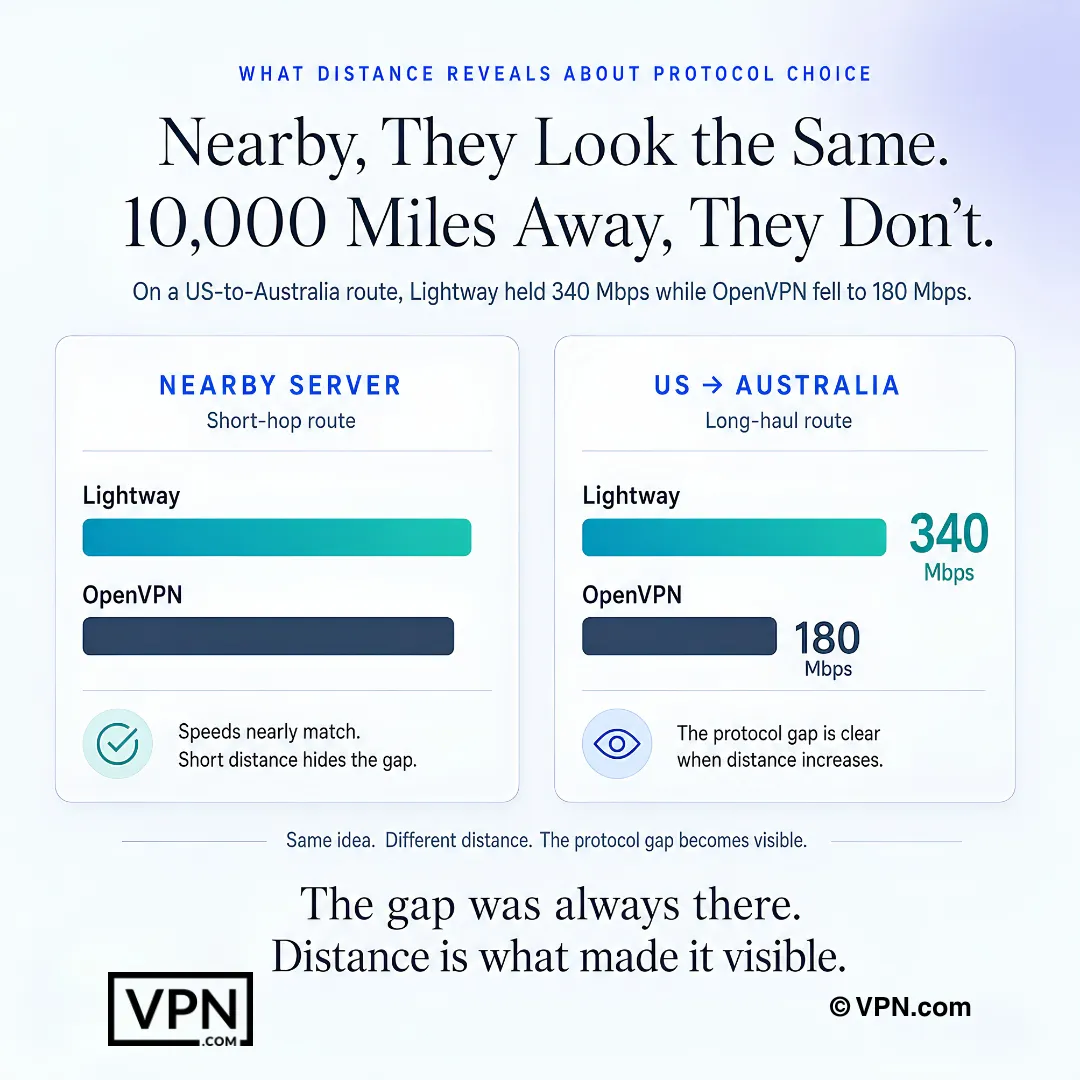
Long-distance testing can reveal protocol speed gaps that nearby servers hide.