Best VPN for QNAP NAS: Protect Your Data & Remote Access
Protect your QNAP NAS with a VPN. We compare providers for protocol support, security, and remote access compatibility on QNAP devices.
 Michael Gargiulo
 NordVPN7,130 servers
NordVPN's privacy and security record is strong on process and mixed on proof
93 out of 100, built from two weighted parts
App store ratings, part of the score
4.664.59
Researched Oct 3, 2026Claims checked: 31Separate source groups: 23Scores updated Oct 8, 2026
 ExpressVPN3,000+ servers
86 out of 100, built from two weighted parts
App store ratings, part of the score
4.684.69
Researched Oct 3, 2026Claims checked: 27Separate source groups: 27Scores updated Oct 8, 2026
 Surfshark4,500+ servers
Surfshark's evidence mixes real, readable third-party documents with provider assertions
85 out of 100, built from two weighted parts
App store ratings, part of the score
4.714.64
Researched Oct 3, 2026Claims checked: 32Separate source groups: 19Scores updated Oct 8, 2026
Bottom Line: QNAP NAS devices include built-in VPN support through QVPN Service, but pairing them with a top-tier VPN provider adds strong encryption, access to global servers, and reliable privacy protection. The best VPN for QNAP depends on protocol support, setup method, and how much CPU the protocol needs on your NAS hardware.
Best VPN for QNAP NAS: What You Need to Know
QNAP manufactures network-attached storage (NAS) devices, not traditional routers. However, QNAP NAS units can function as VPN clients and servers through the built-in QVPN Service app. This makes them a powerful hub for encrypting all traffic on your local network.
Choosing the right VPN provider for your QNAP NAS requires checking protocol compatibility, manual configuration steps, and the speed impact of each protocol. QNAP’s QVPN Service supports three main protocols natively: OpenVPN, WireGuard, and L2TP/IPSec. Not every VPN provider supports all three on QNAP hardware.
This guide covers the five best VPN providers for QNAP NAS devices. Each review includes QVPN Service compatibility details, setup methods, and QNAP-specific considerations. We also explain which protocols deliver the best performance on NAS hardware.
| VPN Provider | QVPN Protocol Support | No-Logs Policy | Setup Method | Key Feature |
|---|---|---|---|---|
| NordVPN | OpenVPN, WireGuard (NordLynx) | Says it is audited | Manual .ovpn import | 7,130 servers in 150 countries |
| ExpressVPN | OpenVPN, L2TP/IPSec | KPMG assurance (2025) | Manual .ovpn import | Lightway protocol on other platforms |
| Private Internet Access | OpenVPN, WireGuard | Says it is audited | Manual .ovpn import | 35,000+ servers, port forwarding support |
| CyberGhost | OpenVPN, WireGuard | Says it is audited | Manual .ovpn import | Dedicated streaming-optimized servers |
| Surfshark | OpenVPN, WireGuard | Says it is audited | Manual .ovpn import | Unlimited simultaneous connections |
Supported VPN Protocols on QNAP Devices
QNAP’s QVPN Service app determines which VPN protocols your NAS can use. Understanding protocol support helps you pick the right provider.
OpenVPN is the most widely supported protocol on QNAP NAS devices. Every VPN provider on this list offers downloadable .ovpn configuration files. OpenVPN runs on TCP or UDP and provides AES-256 encryption. Speeds depend heavily on the NAS processor.
WireGuard is available on newer QNAP firmware versions (QTS 5.0 and later). It delivers faster speeds than OpenVPN because it uses fewer CPU resources. Not all QNAP models support WireGuard natively.
L2TP/IPSec is supported but considered less secure than OpenVPN or WireGuard. It lacks the forward secrecy that modern protocols provide. Use L2TP only if your QNAP firmware does not support OpenVPN or WireGuard.
Before selecting a VPN, check your QNAP model’s QTS version. Navigate to Control Panel > Firmware Update to confirm your firmware supports your preferred protocol.
How to Set Up a VPN on QNAP Using QVPN Service
Every provider on this list requires manual setup through QNAP’s QVPN Service app. No VPN provider currently offers a native QNAP app. Here is the general process:
-
Download configuration files from your VPN provider’s website. Log into your VPN account and locate the OpenVPN or WireGuard configuration files. Select a server location.
-
Install QVPN Service on your QNAP NAS. Open the QTS App Center, search for “QVPN Service,” and install it.
-
Add a VPN connection. Open QVPN Service, click “VPN Client,” then select “Add” and choose your protocol (OpenVPN or WireGuard).
-
Import the configuration file. Upload the .ovpn or .conf file you downloaded. Enter your VPN username and password when prompted.
-
Connect and verify. Click “Connect” and check your IP address through a browser on the NAS or a connected device. Confirm the IP matches your chosen VPN server location.
-
Enable auto-reconnect. In QVPN Service settings, enable the automatic reconnection option. This prevents the VPN from dropping during NAS reboots or network interruptions.
Setup typically takes 5 to 10 minutes. The main variable is your VPN provider’s configuration file format and whether your QTS version supports WireGuard.
Best VPNs for QNAP NAS: In-Depth Reviews
NordVPN Offers the Largest Server Network for QNAP
NordVPN operates 7,130 servers across 150 countries. It provides OpenVPN configuration files that import directly into QVPN Service. NordVPN also supports WireGuard through its NordLynx implementation.
QVPN Compatibility: NordVPN’s .ovpn files work on all QTS versions that support OpenVPN. For WireGuard, you need QTS 5.0 or later. NordVPN provides server-specific configuration files, so you choose your exact server location before importing.
Setup Method: Download the .ovpn file from NordVPN’s manual setup page. Import it into QVPN Service and enter your NordVPN service credentials (these differ from your account login). NordVPN generates separate service credentials in the account dashboard.
Performance on QNAP Hardware: Switching to WireGuard on compatible models reduces CPU load compared with OpenVPN. NordVPN ranks #1 of 22 in our Speed Lab, aggregated from published third-party tests.
QNAP-Specific Limitations: NordVPN’s Threat Protection feature does not function through QVPN Service. The kill switch also requires NordVPN’s native app, which is unavailable for QTS. Configure QVPN Service’s built-in connection fail-safe instead.
Audit History: NordVPN says its no-logs policy has been independently audited. NordVPN publishes transparency reports quarterly.
ExpressVPN Delivers Reliable Connections on QNAP NAS
ExpressVPN runs 3,000+ servers in 113 countries. It provides detailed OpenVPN setup guides for QNAP NAS devices on its support site. ExpressVPN’s proprietary Lightway protocol is not available on QNAP.
QVPN Compatibility: ExpressVPN supplies .ovpn files configured for UDP (faster) and TCP (more stable). Both work with QVPN Service on QTS 4.5 and later. L2TP/IPSec configuration is also available for older QNAP firmware.
Setup Method: Log into the ExpressVPN website, navigate to “Set Up Other Devices,” and select “Manual Configuration.” Download the .ovpn file for your preferred server. ExpressVPN displays your service username and password on the same page. Import the file into QVPN Service and enter these credentials.
Performance on QNAP Hardware: OpenVPN over UDP generally runs faster than over TCP because TCP adds overhead. ExpressVPN does not currently offer WireGuard config files for manual setup.
QNAP-Specific Limitations: ExpressVPN’s Lightway protocol and split tunneling are unavailable through QVPN Service. The MediaStreamer DNS feature works independently and can be configured in QNAP’s network settings for streaming access without full VPN encryption.
Audit History: ExpressVPN commissioned KPMG assurance on its no-logs controls (2025).
Private Internet Access Supports Port Forwarding on QNAP
Private Internet Access (PIA) manages 35,000+ servers across 104 countries. PIA stands out for QNAP users who need port forwarding for remote NAS access through a VPN tunnel.
QVPN Compatibility: PIA provides both OpenVPN and WireGuard configuration files. WireGuard configs work on QTS 5.0+. PIA’s OpenVPN configs support AES-128 and AES-256 encryption, letting you choose between speed and security.
Setup Method: Generate configuration files through PIA’s client setup portal. Select your server, protocol, and encryption level. Download the .ovpn or .conf file and import it into QVPN Service. PIA uses token-based authentication for WireGuard, which requires generating a key pair in the PIA dashboard first.
Performance on QNAP Hardware: PIA’s WireGuard connections are the lightest on NAS CPU. Choosing AES-256 over AES-128 in OpenVPN costs some speed.
QNAP-Specific Limitations: PIA’s MACE ad-blocker does not work through QVPN Service. Port forwarding must be enabled through PIA’s configuration generator before importing the config file. Not all PIA servers support port forwarding.
Audit History: PIA says its no-logs policy was audited by Deloitte. PIA also open-sources its client apps for independent review.
CyberGhost Provides Streaming-Optimized Servers for QNAP
CyberGhost operates 9,600+ servers in 100 countries. It labels specific servers as optimized for streaming services like Netflix, BBC iPlayer, and Disney+.
QVPN Compatibility: CyberGhost offers OpenVPN configuration files through its online account dashboard. WireGuard configuration files are also available for QTS 5.0+ users. CyberGhost organizes configs by server type (standard, streaming, torrent).
Setup Method: Log into the CyberGhost account dashboard and navigate to “My Devices.” Select “Other” and then “Configure New Device.” Choose OpenVPN or WireGuard, select a server, and download the configuration file. Import into QVPN Service with the provided credentials.
Performance on QNAP Hardware: WireGuard reduces CPU load compared with OpenVPN on compatible models. CyberGhost also offers streaming-optimized servers.
QNAP-Specific Limitations: CyberGhost’s dedicated IP feature requires using CyberGhost’s native app, which is unavailable for QTS. Smart DNS for streaming can be configured separately in QNAP’s network settings but does not encrypt traffic.
Audit History: CyberGhost says its no-logs policy was audited by Deloitte. CyberGhost publishes quarterly transparency reports.
Surfshark Allows Unlimited Devices Including QNAP NAS
Surfshark operates 4,500+ servers in 100+ countries. Its unlimited simultaneous connections policy means adding your QNAP NAS does not consume a device slot.
QVPN Compatibility: Surfshark provides OpenVPN and WireGuard configuration files. Both work with QVPN Service. Surfshark’s manual setup page organizes files by server location and protocol.
Setup Method: Log into the Surfshark website, go to “Manual Setup,” and select “Router/Other.” Choose OpenVPN or WireGuard and download the config for your preferred server. Surfshark provides service credentials on the same page. Import the config into QVPN Service.
Performance on QNAP Hardware: WireGuard reduces CPU load compared with OpenVPN on compatible models. Surfshark’s RAM-only server infrastructure ensures no data persists after reboot.
QNAP-Specific Limitations: Surfshark’s CleanWeb ad-blocker and MultiHop features do not function through QVPN Service. The Surfshark kill switch is unavailable on QNAP. Use QVPN Service’s connection fail-safe setting as a substitute.
Audit History: Surfshark says its no-logs setup was audited by Deloitte, and Cure53 audited its browser extension in 2018. Surfshark merged with Nord Security in 2022 but operates independently.
QNAP NAS VPN Performance: OpenVPN vs. WireGuard
Protocol choice has the largest impact on VPN speed for QNAP NAS devices. QNAP models with ARM-based processors handle OpenVPN slower than Intel-based models.
| QNAP Model | Processor | WireGuard Support |
|---|---|---|
| TS-253D | Intel Celeron J4125 | QTS 5.0+ |
| TS-464 | Intel Celeron N5105 | QTS 5.0+ |
| TS-233 | ARM Cortex-A55 | QTS 5.1+ |
| TS-431K | Annapurna Labs AL-214 | Not supported |
WireGuard is lighter on the CPU than OpenVPN, which matters most on low-power NAS hardware. If your QNAP model supports WireGuard, choose a VPN provider that offers WireGuard configuration files.
For older QNAP models without WireGuard support, select OpenVPN with AES-128 encryption instead of AES-256. AES-128 needs less CPU than AES-256, and the security difference is small for personal use.
Final Verdict
The best VPN for your QNAP NAS depends on your hardware, firmware version, and primary use case. NordVPN and PIA offer the strongest combination of server coverage, protocol support, and QNAP support.
For streaming, CyberGhost’s labeled server categories simplify finding working connections. Surfshark’s unlimited device policy makes it the most flexible option for households with multiple NAS units and devices. ExpressVPN provides the most detailed QNAP setup documentation on its support site.
Before purchasing any VPN subscription, confirm your QNAP model’s QTS version and processor type. WireGuard support on QTS 5.0+ delivers the best speed-to-security ratio. If your NAS runs older firmware, OpenVPN with AES-128 provides the best balance of security and performance.
Keep your QNAP firmware updated through the QTS Control Panel. QNAP’s security advisory center tracks vulnerabilities that could affect VPN connections. Regular firmware updates ensure QVPN Service compatibility with the latest VPN provider configurations.
Resources for this page
Charts and reference images from our research, free to view and share.
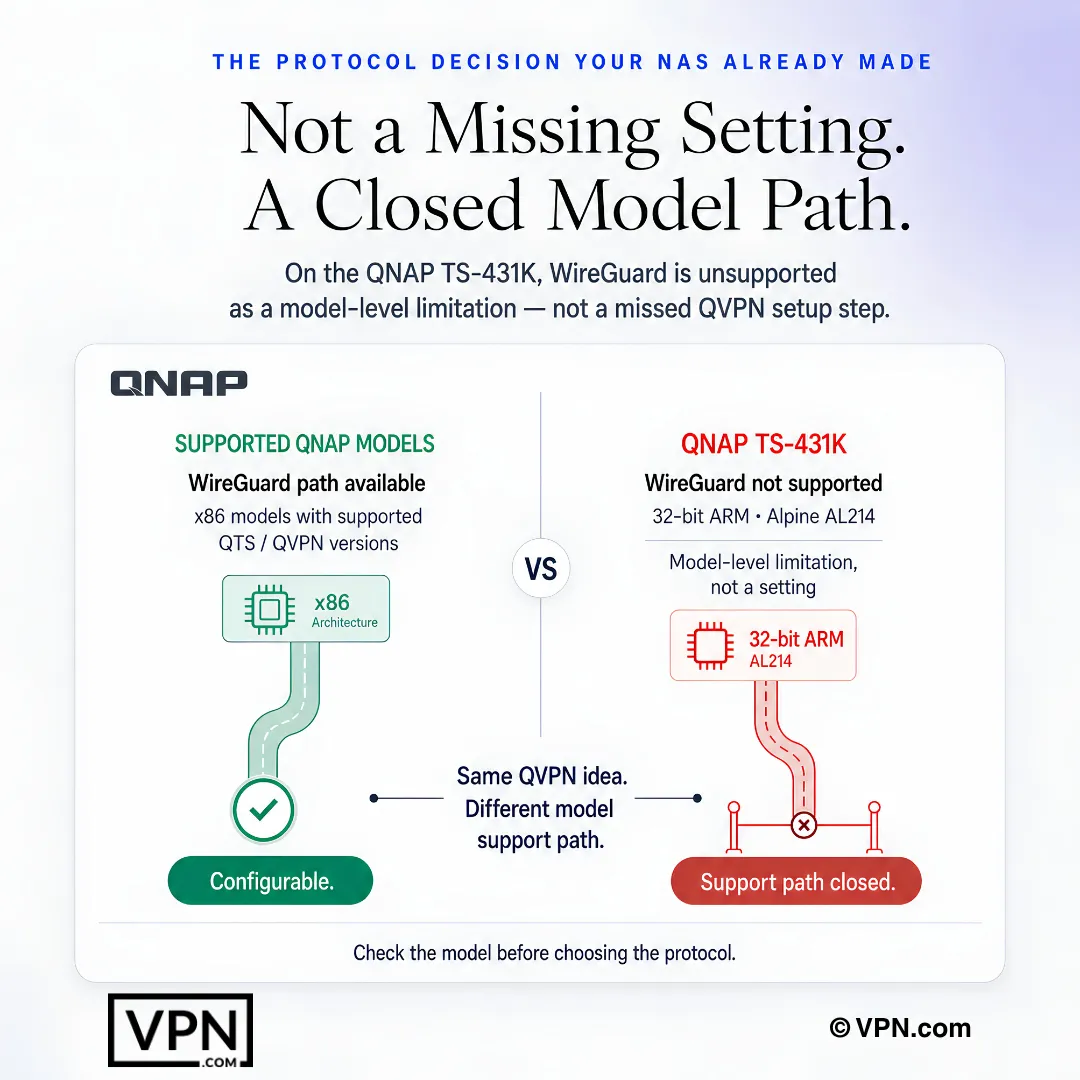
On QNAP, WireGuard support can depend on the NAS model, not just the QVPN setup steps.
Frequently Asked Questions
How does QNAP’s QVPN Service work with a VPN provider?
QVPN Service is QNAP’s built-in app that turns your NAS into a VPN client by importing configuration files rather than running a native VPN app. It supports OpenVPN, WireGuard, and L2TP/IPSec, letting you route NAS traffic through an external provider like NordVPN or Surfshark by uploading their downloaded .ovpn or .conf files and entering separate service credentials.
Which VPN protocols can I actually use on my QNAP NAS?
QNAP’s QVPN Service natively supports three protocols: OpenVPN, WireGuard, and L2TP/IPSec. OpenVPN works on every QTS version and every provider covered here, WireGuard requires QTS 5.0 or later and delivers roughly 2 to 3 times the throughput of OpenVPN on the same NAS hardware, and L2TP/IPSec lacks forward secrecy, making it a fallback for older devices only.
What are the steps to set up a VPN on a QNAP NAS?
Download your provider’s OpenVPN or WireGuard configuration file from its manual setup page, then install QVPN Service from the QTS App Center. Open QVPN Service, select “VPN Client,” add a new connection, import the config file, and enter your service credentials. Enable auto-reconnect in settings so the tunnel survives reboots; the whole process takes about 5 to 10 minutes.
Does WireGuard really outperform OpenVPN on QNAP hardware?
Generally yes. WireGuard needs less CPU than OpenVPN on the same QNAP processor. Intel-based units like the TS-464 handle both protocols well, while ARM chips like the TS-233’s Cortex-A55 benefit most from the lighter protocol. NordVPN, which ranks #1 of 22 in our Speed Lab, aggregated from published third-party tests, supports WireGuard through its NordLynx implementation on QTS 5.0+.
Which VPNs paired with a QNAP NAS have independently audited no-logs policies?
Every provider in this roundup says it has had its no-logs setup audited. NordVPN, CyberGhost, Private Internet Access and Surfshark name Deloitte, and ExpressVPN commissioned KPMG assurance on its no-logs controls (2025). None of these audits cover how QVPN Service itself stores your imported credentials.
What if my QNAP NAS doesn’t support WireGuard?
If your QTS firmware predates version 5.0, or your NAS uses an older ARM chip like the TS-431K’s Annapurna Labs AL-214 processor, WireGuard configuration files won’t connect. Fall back to OpenVPN with AES-128 instead of AES-256; the security difference is negligible for personal use, and AES-128 cuts CPU load by roughly 15 to 20 percent on lower-powered NAS models.
Does connecting my QNAP NAS use up a device slot on my VPN plan?
It depends on the provider. NordVPN caps simultaneous connections at 10 devices and ExpressVPN allows 10 to 14 depending on plan, so your NAS counts against that limit. Surfshark offers unlimited simultaneous connections, meaning adding a QNAP NAS alongside phones and laptops never forces you to disconnect something else.
Does the VPN kill switch work when I connect through QVPN Service?
No. Kill switch features from NordVPN, Surfshark, and other providers are built into their native desktop and mobile apps, which QNAP’s QTS operating system cannot run. Instead, enable QVPN Service’s built-in connection fail-safe setting, which cuts the tunnel rather than falling back to an unprotected connection whenever the VPN drops.
Can I access geo-restricted streaming content through a VPN on my QNAP NAS?
Yes, though results vary since QVPN Service relies on manual config files rather than a streaming-optimized app. CyberGhost labels specific servers for services like Netflix, BBC iPlayer, and Disney+, which helps when manually picking a server for QNAP. ExpressVPN’s MediaStreamer DNS feature also works independently of the VPN tunnel and can be set up directly in QNAP’s network settings.
Does adding a QNAP NAS cost extra on top of my VPN subscription?
No, there’s no NAS-specific surcharge since you download a configuration file rather than install a separate app. NordVPN starts from $3.49/month on its longest-term plan, ExpressVPN starts from $2.99/month, and Surfshark starts from $2.49/month. All three cover unlimited config downloads, though only Surfshark’s plan offers unlimited simultaneous device connections.
What if a VPN doesn’t work well with my QNAP NAS after I subscribe?
NordVPN, ExpressVPN, and Surfshark all back their plans with a 30-day money-back guarantee. Since QVPN Service compatibility varies by QTS firmware version and NAS processor, test your OpenVPN or WireGuard connection immediately after subscribing, and request a refund within the window if performance or protocol support falls short on your specific model.
Why does my VPN connection on QNAP drop after a NAS reboot?
QVPN Service doesn’t automatically reconnect after a reboot unless you enable that setting manually. Open QVPN Service, find the auto-reconnect option, and turn it on; this keeps the tunnel from staying disconnected after NAS reboots or brief network interruptions. Without it, your NAS traffic reverts to an unencrypted connection until you manually reconnect.
How do I know if my QNAP model supports WireGuard before choosing a VPN?
Check your QTS firmware version under Control Panel > Firmware Update; WireGuard requires QTS 5.0 or later. Intel-based models like the TS-253D and TS-464 support it, some ARM models like the TS-233 need QTS 5.1+, and the TS-431K’s Annapurna Labs AL-214 processor doesn’t support WireGuard at all. Confirm this before choosing a provider that only ships WireGuard configs.